
 By Ghulam Murtaza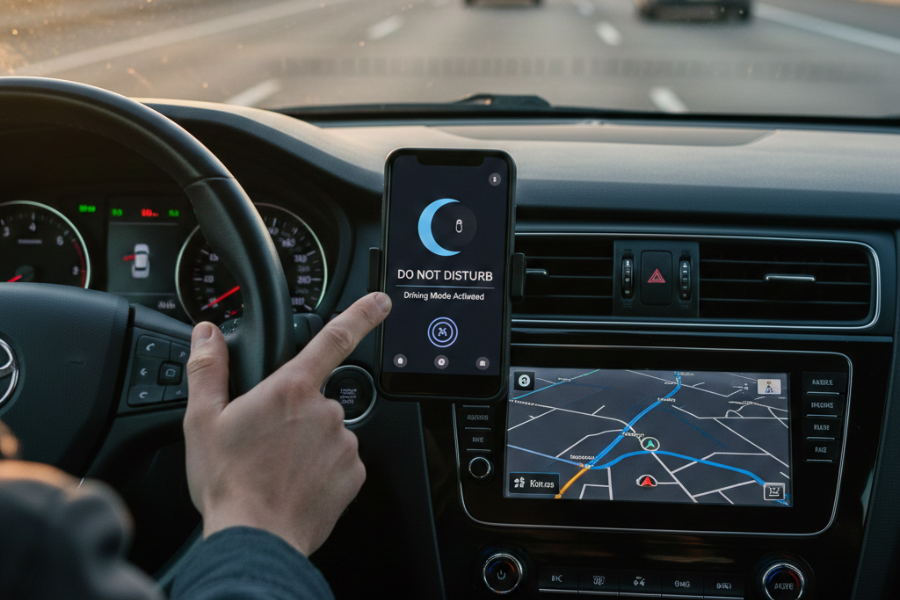
Mobile phones have become our lifelines nowadays – we use them for everything from communication and entertainment to navigation and even reminders. However, there are many activities where using a mobile is not helpful. Take driving, for example. Once you’re behind the wheel, your phone instantly becomes one of the biggest threats to your safety. Whether it’s a buzzing notification or a flashing screen, even a split second of distraction is enough to put you, your passengers, and others on the road at risk. That’s why you need interventions like the Do Not Disturb While Driving feature in your phones. This simple feature may seem non-essential, but it can actually save lives. Many professional instructors at Sydney Driving School encourage their students to enable this feature before every drive, because staying focused is one of the strongest habits you can build as a learner and as a lifelong driver. In this post, we will explore this feature, discussing its need, functionality, how to activate it, and why every driver should use it.
Why Staying Focused Matters
Every year, countless crashes occur because drivers forget the consequences of taking their eyes off the road even for a moment. You might think that a quick glance at a message or checking who’s calling isn’t such a big deal. What’s the harm in checking a notification in a couple of seconds, right? But when you’re travelling at 60 km/h, even a two-second distraction can mean the difference between safety and disaster. Enabling Do Not Disturb While Driving acts as a powerful barrier between you and unnecessary distractions, helping you stay alert and in full control of your vehicle.
Using your phone while driving reduces reaction time, impairs judgment, and pulls your attention away from what really matters: the road ahead. That’s why many instructors and safety programs, including the Safer Drivers Course, highlight digital distractions as one of the most dangerous issues facing modern drivers.
What Do Not Disturb While Driving Actually Does
So, what exactly is this Do Not Disturb Mode? It’s a feature that is now common in all smartphones – designed specifically to prevent distractions from taking your focus away from the tasks that are a priority. For drivers, this feature acts like a built-in driving mode designed specifically to prevent interruptions while you’re behind the wheel. Once activated, it:
- Blocks notifications and alerts.
- Silences any incoming calls.
- Stops messages from appearing on your lock screen.
- Sends auto-reply texts explaining you’re driving.
- Reduces the temptation to check your phone.
- Keep your focus on driving, not your device.
Some smartphones even have the facility to activate this feature automatically when your car starts moving or when you connect to Bluetooth. So you don’t have to remember it all the time — the phone does the work for you.
How to Activate Do Not Disturb While Driving
But what if you don’t know how to activate it? Don’t worry, we’ve got you covered! Setting up Do Not Disturb Mode only takes a few seconds. Here’s how you can turn it on:
For iPhone Users
- Go to Settings.
- Tap Focus.
- Select Driving.
- Turn on Activate Automatically, or choose When Connected to CarPlay.
- Customise your auto-reply message if needed.
Once you activate this, your iPhone will automatically block notifications and alert others that you’re currently driving.
For Android Users
For Android phones, the settings may vary slightly by manufacturer, but the steps are generally:
- Open Settings.
- Tap Connected Devices.
- Select Driving Mode.
- Turn on Do Not Disturb While Driving.
- Enable automatic activation if available.
Why Every Driver Should Use It
Mobile phones have become the ultimate temptation, keeping you distracted even when you’re trying to focus on important activities like driving. But remove this temptation and you’ll notice a dramatic increase in your ability to stay focused and make smart, safe, and quick decisions while driving.
Driving is not just about operating a vehicle. It’s also about staying mentally focused and keeping full attention on the road environment, traffic, and changing conditions. A single notification can break that focus, which is why most instructors in Sydney Driving Schools routinely advise drivers to switch to Do Not Disturb While Driving Mode as part of their pre-drive routine. Cultivating the habit of enabling this feature before a drive can help you give all your attention to the road, traffic and your driving skills. Learner drivers with complete focus can become safer, more responsible, observant, and quick-thinking individuals with good judgment and decision-making abilities.
Building Safe Driving Habits for Life
It is said that a focused driver is a safer driver, and this saying is quite true when you weigh in the consequences of even a second’s distraction. Activating Do Not Disturb While Driving is one of the easiest, most effective ways to protect yourself and others. Whether you’re taking your first driving lessons or preparing for your test, avoiding the use of mobile phones while driving is essential. Driving lessons from reputable Sydney driving schools, like Onroad Driving Education, and programs like the Safer Drivers Course encourage these habits in learner drivers to help them become perceptive, alert, attentive, and safer drivers.
So next time you buckle up, take a moment to enable Do Not Disturb. Remember, your small action can make a massive difference in road safety.