
 By Sky Bloom IT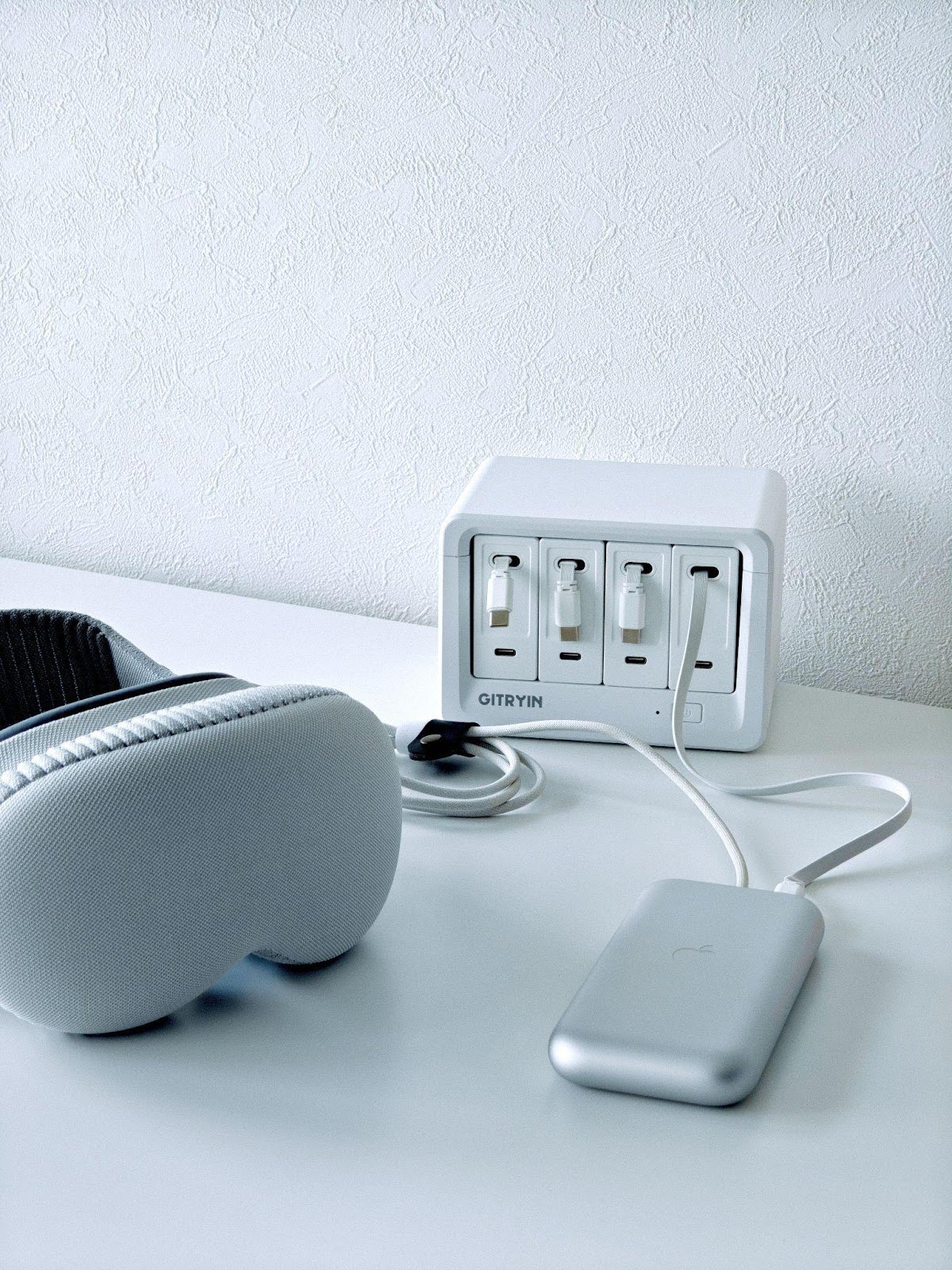
A messy desk isn’t just a visual issue—it’s a system issue. Clutter appears when your workspace doesn’t match the way you actually work: scattered charging points, cables with no home, devices that migrate every day, and habits that quietly let disorder creep back in.
A clean, organized desk is built on small, repeatable habits—and the right tools.
These ten habits will help you create a workspace that stays functional, calm, and consistently organized.
1. Start with One Central Power Hub (with the Right Tools)
Nothing creates desk clutter faster than charging devices in multiple places. One adapter on the desk, another behind the monitor, a power strip on the floor—it becomes cable chaos.
A single centralized desktop charging station, like the Gitryin Desktop Charging Station, immediately restructures your desk.
By routing all power through one hub, you reduce scattered cables, eliminate bulky chargers, and create a clean visual anchor for every device.
This one change alone often removes 50% of desk clutter.
2. Keep Only Daily-Use Items on the Desk
Desks often become storage spaces for items you use occasionally or not at all.
If you don’t use it every day, it doesn’t need to stay on your desk.
Limiting your surface to essentials keeps the workspace visually lighter and easier to reset.
3. Give Every Cable a Permanent Home
Cables are the biggest source of long-term desk mess—not because there are many, but because none have a fixed path.
Use clips, channels, or retractable cables so every wire has a consistent route and position.
Once cables stop wandering, the desk naturally stays organized.
4. Reset Your Desk at the Same Time Every Day
Spend three minutes at the same time each day putting items back in place.
This consistency prevents small messes from snowballing into bigger ones and establishes a natural rhythm for maintaining order.
5. Use Vertical Space to Expand Surface Area
Horizontal space is limited, but vertical space is not.
Use monitor arms, shelves, under-desk mounts, or wall-mounted power hubs to lift tools off the desk surface.
Your workspace becomes more open, more efficient, and easier to manage.
6. Label Your Cables and Devices
Labeling is one of the simplest ways to reduce friction in your workflow.
It eliminates guesswork, prevents device mix-ups, and keeps shared workspaces clear.
Even basic color stickers dramatically increase organization.
7. Keep Frequently Used Devices Within Arm’s Reach
Place high-frequency items—your laptop, tablet, notebook, and phone—within your natural reach zone.
Low-frequency accessories should be stored in drawers or shelves.
This minimizes unnecessary movement and helps maintain long-term order.
8. Follow the “No Loose Chargers on the Desk” Rule
Loose charging bricks multiply fast.
One becomes three, then six, and soon the desk is overrun.
Replace individual chargers with one multi-device charging station.
This improves safety, reduces clutter, and creates a visually cleaner workspace.
9. Reduce Visual Noise, Not Just Item Count
A desk can have only a few items and still look messy if visual noise remains—exposed cables, mismatched accessories, bulky adapters, or stray packaging.
Reducing visual noise improves focus and creates a more calming environment.
10. Do a Weekly System Reset
A weekly 10-minute desk reset prevents long-term clutter.
Clear digital files, remove unused items, realign cables, and wipe surfaces.
This keeps your desk aligned with your workflow and maintains long-lasting clarity.
Organization Is a System, Not a Skill
A clean desk doesn’t come from one major reorganization.
It’s the result of consistent habits combined with smart tools—especially your power and cable infrastructure.
Once your power system is structured, your entire workspace becomes easier to maintain.
Holiday Note
If you’re planning a desk upgrade, the holiday season is the best time. Gitryin is offering up to 25% off during the holiday period—a rare opportunity to upgrade your charging system and build a cleaner, more efficient workspace.